
- Author
- Editorial Team
- Published
- Reading time
- 8 min read
Search for the "mil win apk latest version" and you will find plenty of pages with a big version number, a file size and a download button. Look closer and the numbers rarely agree. One page may list one version in its heading and a different one in its download box. Another may show a file size that does not match anything you have seen.
This guide does not give you a version number, because any number we printed could be out of date tomorrow. Instead it shows you how to check the version on your own phone, how updates normally work for an APK, and what to do when an update fails.
How do you update Mil Win to the latest APK version?
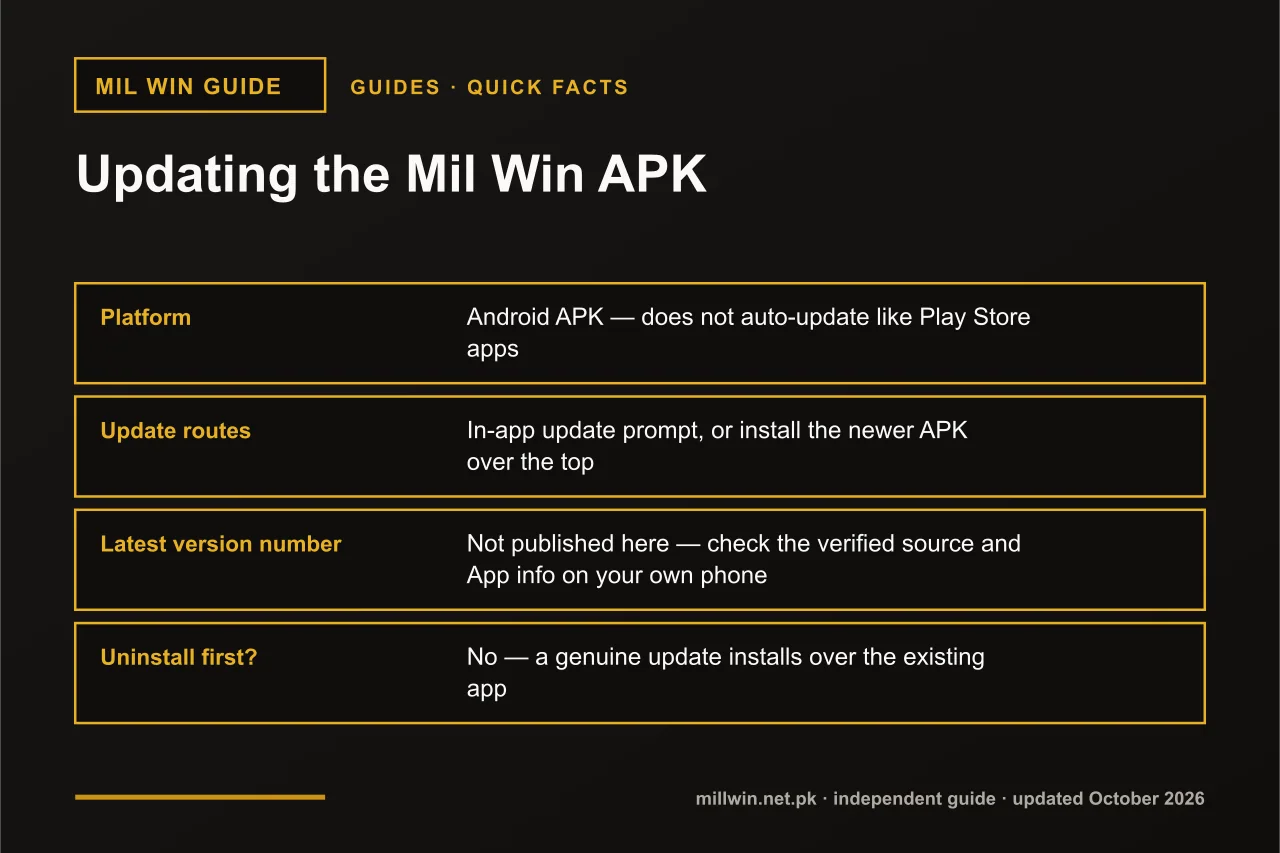
The Mil Win APK updates in one of two ways: an in-app update prompt, or a manual reinstall of the newer file over the existing app from the same verified source. Android checks that the new file carries the same signature, so a genuine update installs without uninstalling. Check the result under Settings, Apps, Mil Win, App info.
| Quick fact | Detail |
|---|---|
| Platform | Android APK — does not auto-update like Play Store apps |
| Update routes | In-app update prompt, or install the newer APK over the top |
| Latest version number | Not published here — check the verified source and App info on your own phone |
| Uninstall first? | No — a genuine update installs over the existing app |
| Last updated | 10 October 2026 |
Key Takeaways
- Mil Win is an APK, so it does not update silently in the background like Play Store apps.
- Install the newer Mil Win APK over the existing app; do not uninstall the old one first.
- An "App not installed" or package-conflict error during a Mil Win update is a warning sign, not a problem to force.
- Version numbers on third-party sites often disagree; the only Mil Win version that matters is the one on your phone.
Why Version Numbers Online Do Not Agree
Most pages ranking for "mil win apk" or "milwin apk download" are third-party sites, not the operator. They copy each other, update their headings without updating their files, and sometimes host builds that are months old.
We have seen a competitor page that lists two different version numbers on the same page. That is a good reminder: a version number on a website is not proof of anything. The only version that matters is the one installed on your phone, and the only update that matters is the one from the source you already trust.
How to Check Your Installed Mil Win Version
Before looking for a "mil win new version", find out which one you already have. There are two easy places to look.
From Android settings
Settings → Apps → Mil Win → App info (scroll to the bottom to see the version)
On some phones the version appears under "App details" or "Advanced". Menu names vary between Samsung, Infinix, Tecno, Xiaomi, Oppo, Vivo and other brands, but the version is almost always on the App info screen.
From inside the app
Many apps also show their version in an "About", "Settings" or profile menu. If the app displays a version there, it should match what Android shows. Write it down or take a screenshot — it is useful when you contact support or compare with an update prompt.
How Mil Win Updates Work for an APK
Because Mil Win is installed as an APK rather than from Google Play, it does not update silently in the background like Play Store apps. Updates usually reach you in one of two ways.
- In-app update prompt — the app tells you a newer version is available and offers a button to download it. This is the simplest route when it appears.
- Manual reinstall over the top — you download the newer APK from the same verified source and install it without uninstalling the old one first.
Installing over the top works because Android checks that the new file is signed with the same key as the app already on your phone. If the signature matches, Android replaces the app and keeps your local data. If it does not match, Android refuses — and that refusal is an important safety signal.
See why earning apps are rarely on Google Play →
Before You Update: Quick Checklist
- Keep your login details ready — registered phone number and password — in case the app asks you to sign in again.
- Make sure no deposit or withdrawal is still pending, and screenshot any recent transaction IDs.
- Check free storage. An update needs space for the downloaded file plus room for Android to install it, so leave a comfortable margin rather than just enough.
- Use a stable connection. A download that cuts out halfway can produce a damaged file.
- Note your current version so you can confirm the update actually changed it.
Storage is the step people skip most often. On budget phones that are nearly full, an update can fail halfway or leave the app unstable. Clearing old APK files from your Downloads folder alone often frees enough space, and it also stops you from reinstalling an outdated copy by accident later.
Read the Mil Win login guide →
How to Update the Mil Win APK Step by Step
- Open Mil Win and check whether an update prompt appears. If it does, follow it and skip to step 7.
- If there is no prompt, go to the verified download source you used for your first install. Do not use a random "mil win game download" or "milwin game download" search result.
- Download the APK and wait for the download to finish completely.
- Do not uninstall the existing app. Tap the downloaded file to install it over the top.
- If Android asks, allow "Install unknown apps" for your browser or file manager for this install only.
- Tap Update (or Install) and wait for Android to finish.
- Open Mil Win and check that your account and balance appear as before.
- Confirm the new version under Settings → Apps → Mil Win → App info.
- Turn "Install unknown apps" back off and delete the APK file from your Downloads folder.
If you are installing for the first time rather than updating, follow the full download guide instead — it covers the first-install permissions in more detail.
Open the Android download and install guide →
How Do You Know an Update Prompt Is Genuine?
An update prompt inside the app you installed from a verified source is normally the safest route. Messages from outside the app are a different story.
Be wary of a WhatsApp or Telegram message saying "new Mil Win version, install now or lose your balance", an SMS with a short download link, or a pop-up on a website telling you your app is "expired". Urgency is a classic pressure tactic. A real update does not need you to act within minutes, and it never needs your OTP, wallet PIN or a payment to unlock.
- If the prompt appears inside the app and leads to the same source as your first install, it is the normal route.
- If a link arrives by message, ignore it and check the verified source yourself.
- If a page asks you to pay, share an OTP or enter your wallet PIN to download an update, close it.
- If you are unsure, wait. The current version will normally keep working for a while, and a day's delay costs nothing.
Common Mil Win Update Errors and Fixes
Most update problems fall into a few patterns. Match the message you see to the table below.
| Error message | Likely cause | What to do |
|---|---|---|
| "App not installed" | The new file is signed with a different key from the installed app, or the file is damaged | Re-download from your verified source. If it still fails, the file is probably a different or fake build — do not force it |
| "App not installed as package conflicts with an existing package" | Signature mismatch between the installed app and the new APK | Treat this as a warning. A genuine update from the same source should install over the top |
| "There was a problem parsing the package" | Incomplete download or a file not made for your Android version | Delete the file, download again on a stable connection, and check your Android version |
| "Insufficient storage" / "Not enough space" | Not enough free storage to install | Delete old APK files, videos and unused apps, then retry |
| "Install blocked" or Play Protect warning | Unknown-app installs not allowed, or Play Protect flagged the file | Allow unknown apps for this install only. If Play Protect flags a serious threat, stop and recheck the source |
| App installs but crashes on launch | Corrupted cache from the old version or a partly installed update | Clear the cache, restart the phone, and see the app-not-opening guide |
| Update prompt keeps coming back | The update did not finish, or you installed an older file | Check the version in App info and reinstall the newer file from the same source |
If the app updates but will not start, or games stop loading after an update, these guides go through the fixes in order.
Read what to do when the Mil Win app will not open →
See the fixes for a Mil Win loading problem on Android →
Never Install MOD or "Unlimited Coins" Versions
Some sites offer a "Mil Win MOD APK", a "hack version" or an "unlimited coins" build. These do not work the way they claim. Your balance and game results are handled by the platform's servers, not by the app on your phone, so a modified app cannot give you real money.
What a modified APK can do is steal your login, read your messages for OTPs, or show you a fake balance while taking your real deposit. It will also fail the signature check when the genuine update arrives, leaving you with an app that cannot be updated. Avoid them completely.
Spelling Variants: Milwin APK, Min Win APK and Others
People search for the update using many spellings — "milwin apk", "mil apk", "milwin game apk", "millwind app download", "minwin download" or "mil.win download". These usually mean the same app, but misspelled names are also where lookalike files hide.
Whatever you typed, check that the install screen says Mil Win, that the icon matches the app you already have, and that the file came from the same source as your original install. A genuine update from the right source will install over your existing app without any conflict.
See what a so-called Mil Win hack really does →
See how to recover a Mil Win account →
Conclusion
The "latest version" of the Mil Win APK is whatever the verified source offers today — not the number printed on a third-party page. Check your installed version in App info, update over the top from the same source, and keep your login details ready.
If Android refuses to install an update because of a package conflict, take that as a reason to stop and check the file, not a problem to work around. And never trade a working app for a MOD build that promises unlimited coins.
Frequently Asked Questions
What is the latest version of the Mil Win APK?
Version numbers change and third-party sites often quote conflicting ones. Check the version offered by your verified source at the time you update, and compare it with the version shown under Settings → Apps → Mil Win → App info.
How do I check which Mil Win version I have?
Open Settings → Apps → Mil Win → App info and scroll to the bottom. Some apps also show the version in an in-app About or Settings menu.
Will updating Mil Win delete my account or balance?
Your account and balance are held by the platform, not the app file. A genuine update installed over the top normally keeps your local data too, but keep your login details ready in case you need to sign in again.
Why does my phone say "App not installed" when I update Mil Win?
Usually the new file is damaged or is signed with a different key from the installed app. Re-download from your verified source. If it still fails, the file may be a different or fake build.
Should I uninstall the old Mil Win app before updating?
No. Install the new APK over the top. Uninstalling first removes the signature check that helps you spot a fake build.
Is a Mil Win MOD APK with unlimited coins real?
No. Balances and results are handled on the platform's servers, so a modified app cannot add real money. MOD files are a common way to steal logins and OTPs.
Related reading
- Guides
 Mil Win App Not Opening? Common Causes and Fixes
Guides · 6 min read
Mil Win App Not Opening? Common Causes and Fixes
- Guides
 Mil Win Game Loading Problem on Android — What to Check
Guides · 5 min read
Mil Win Game Loading Problem on Android — What to Check
- Guides
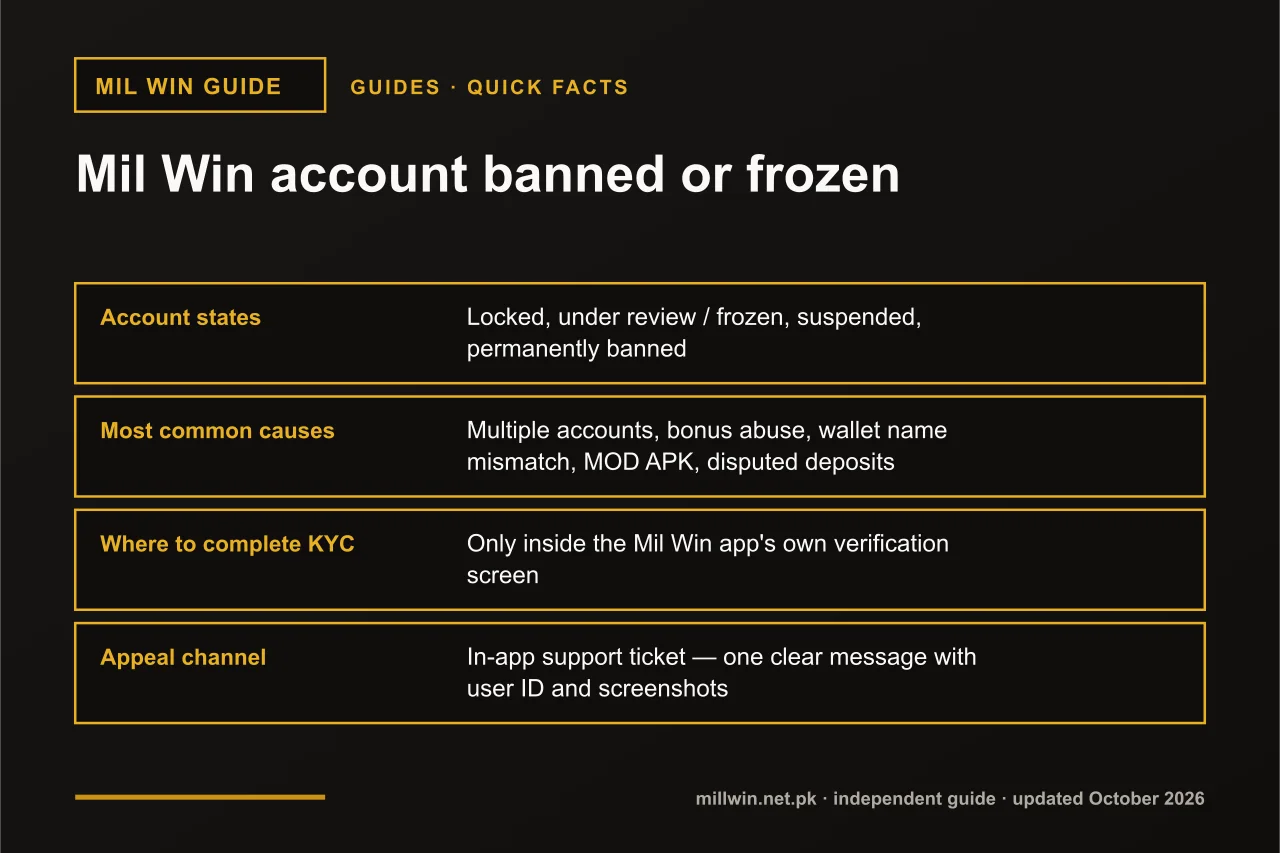 Mil Win Account Banned or Frozen? Causes, KYC and How to Appeal
Guides · 11 min read
Mil Win Account Banned or Frozen? Causes, KYC and How to Appeal